Maths where the game is the maths
Numberkit is a maths app for children of about 7 to 11, and for anyone learning these ideas. Children learn by building numbers, and every idea is taught on a picture before it is practised. A child moves on when they are ready. Their school year does not decide it.
Today it covers times tables and division facts, place value, written methods for adding, subtracting, multiplying, and dividing big numbers, and fractions.
Ask for an invite
Numberkit is invite-only while it is tested with a small number of families.
Your address is used only to send you an invite. If no invite is sent, it is deleted after 90 days.
 Pond life
 Space
Space Science lab
The ideas behind Numberkit
Numbers you build
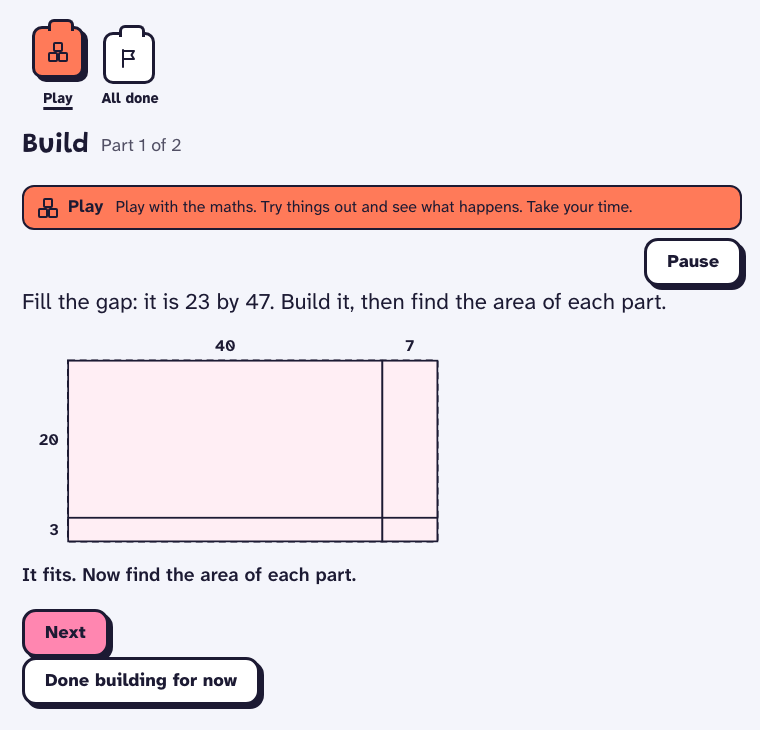
In many maths apps the game sits on top of a quiz. Here the numbers are what you play with. An empty space 23 by 47 only fits a 23 by 47 rectangle, and you can see when a wrong size does not fit.
Taught before it is practised
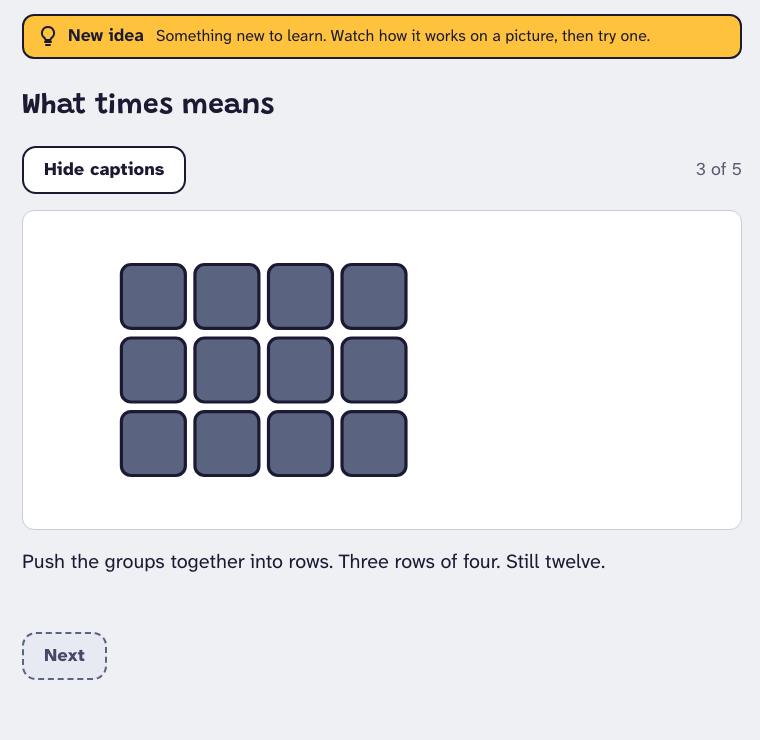
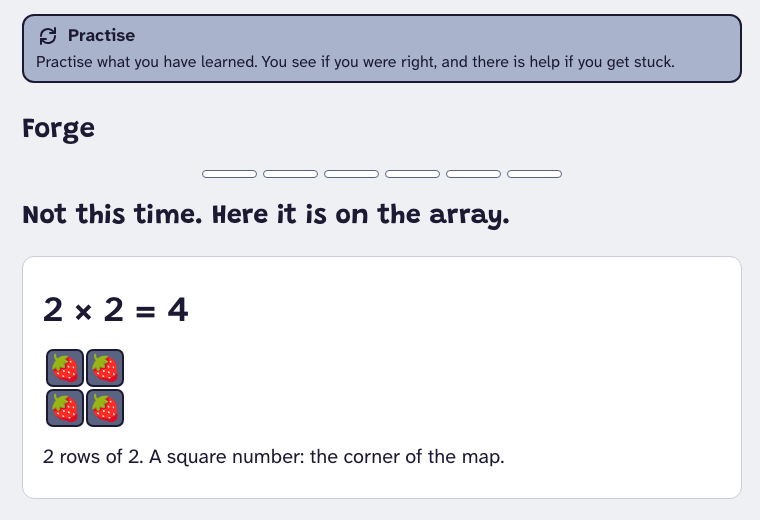
Every new idea starts on a picture, such as groups pushed together into rows, with the words spoken aloud. Practice then moves to plain numbers. When a times-table answer is wrong, the app shows how to work it out.
Times and division, together
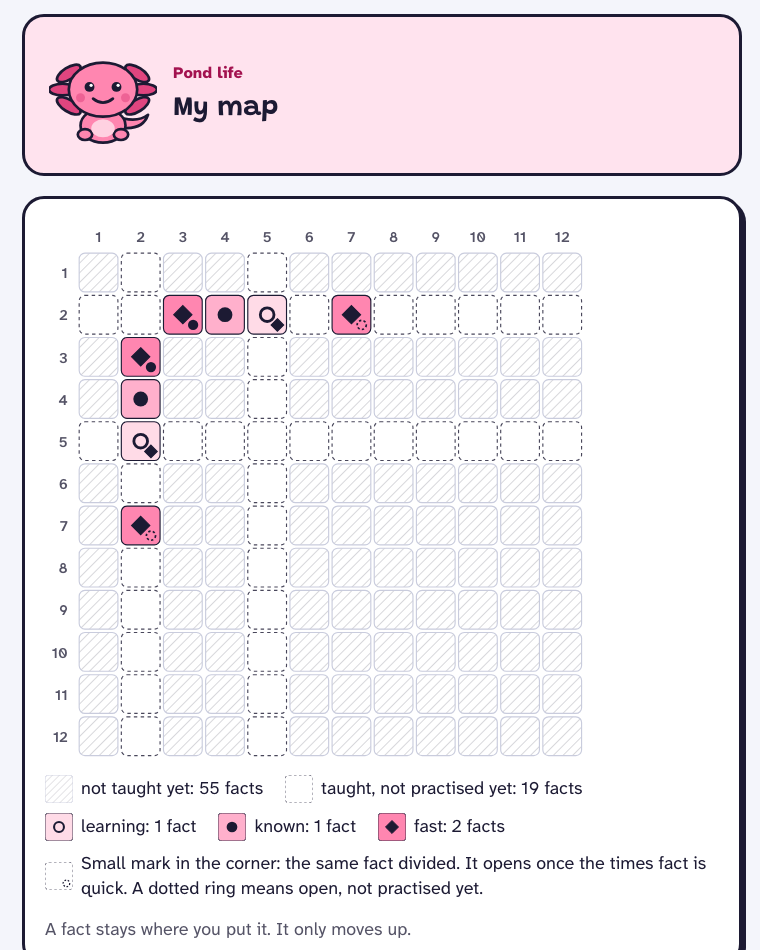
7 × 8 and 8 × 7 are one fact, and 56 ÷ 7 and 56 ÷ 8 are the same fact the other way. The two ways are taught together and then practised apart, each with its own progress. Each answer is worked out from ones the child already knows, then practised a little each day, spaced out and mixed up, until it comes instantly.
Speed without a stopwatch
The app records how long each answer takes and shows no countdown in practice. A child sees a clock in only two places: a one-minute check at the start and once a week, framed as a look at how they are getting on, and sprints they choose, which give a count but no feedback on each question. After a wrong times-table answer, the child types the right answer back once. Straight after a new lesson, the first five answers get no right or wrong at the time. Any wrong ones are shown at the end of the practice.
Each child at their own pace
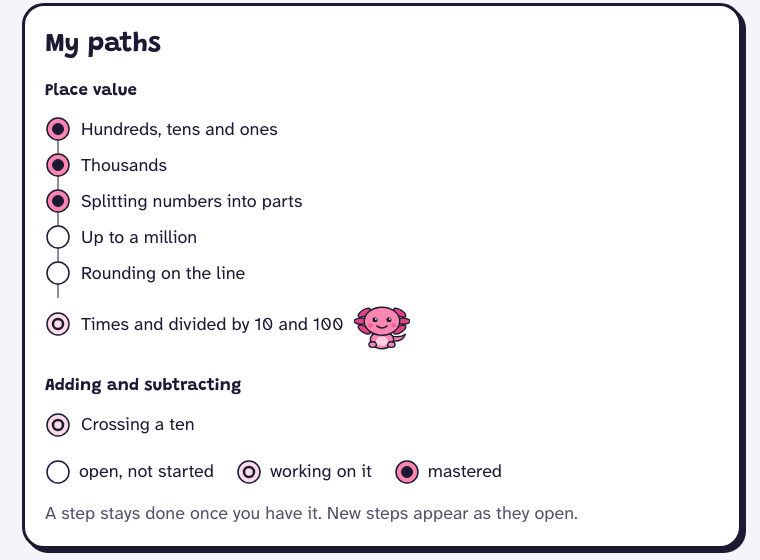
Nothing opens by age or year. A new step opens when the steps under it are mastered, so a child can race ahead in one area and take longer in another. Parents see what was learned and how it is coming along, never a comparison with other children.
Left out on purpose
- No countdown timers in practice.
- No coins, shops, leaderboards, or badges for playing longer.
- No ads, no trackers, and no third-party scripts.
- Your data is never sold.
Built on the research
The design is built on peer-reviewed studies and national practice guides. Where the evidence is thin, or a number is a starting value still to be tuned, the plan says so. The reviews set it out:
- How 9-year-olds become fluent in math facts, and how to practice without inducing math anxiety
- Teaching math concepts to 9-year-olds with visual models, animation, and explanation: an evidence review
- Making a math app fun for a 9-year-old: a literature review
- Adaptive learning, mastery, knowledge tracing, and feedback for a solo-built math app (age 9)
- Competitive landscape: math learning apps for ages 8 to 11 (grades 3 to 5)
- Attention, ADHD, and math practice: what the evidence says for a fluency and learning app
- General learning science for Numberkit (how people learn and remember, beyond games and apps)
- How people learn mathematics: evidence from cognition and classrooms, and what an app can take from it
- Effective human teaching and tutoring, and what an app can take from it
- Motivation, emotion, and habits in learning mathematics
- Calibrating and evaluating Numberkit with very few learners
- Clinical cognitive-training platforms and gaming in children's neurorehabilitation
- Adaptive placement with a handful of questions
For parents and schools
- A child's profile holds a first name or nickname, a school year, a picture PIN, and their progress. A parent can also add names of family, friends, or pets to appear in word problems. No date of birth, no email address, and nothing a child types freely.
- Parents can download everything their family has stored, and delete it. Deleted data is erased at the nightly clean-up 30 days after the request, and is gone from the database's short-term backups within a day after that.
- Numberkit runs on Vercel and keeps its data with Neon, both in London. Sign-in email goes through Resend, in Ireland. If a parent turns on the weekly note, it goes through the same email service and includes the child's first name and what the parent report shows. A parent can choose to have a child's name spoken at the start of some lessons. Only then are the name, and any spelling the parent types, sent to Google Cloud Text-to-Speech to make a short recording, which the parent hears and approves before the child does. Apart from those services, no one else receives your data.
- An address left in the invite box is used only to send an invite. It is deleted after 90 days if no invite is sent.
Ask for an invite
Your address is used only to send you an invite. If no invite is sent, it is deleted after 90 days.